

How to Clean IQOS ILUMA Device: Complete Step-by-Step Guide for Dubai & UAE Users

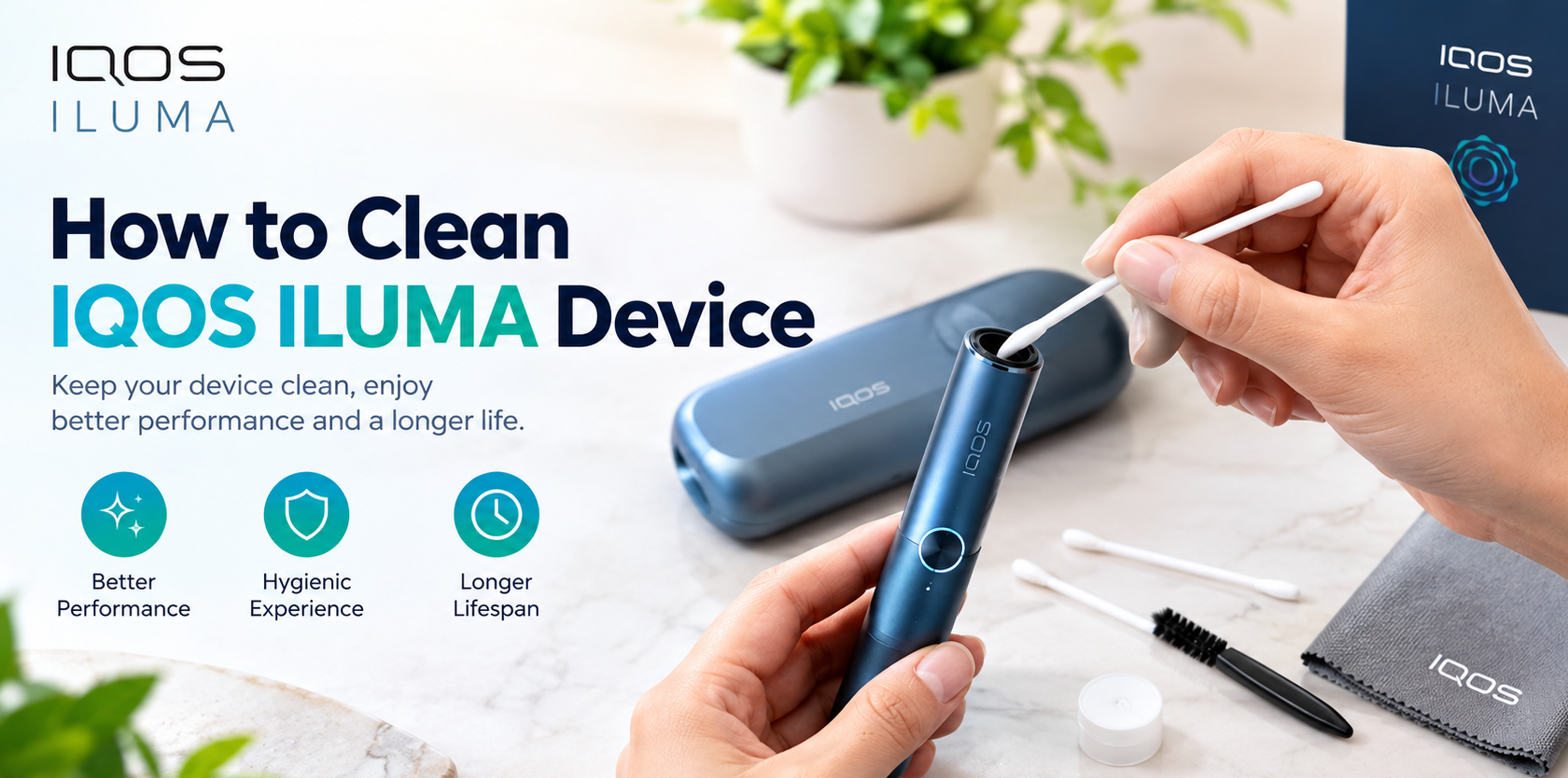
How to clean IQOS ILUMA device? To clean an IQOS ILUMA, switch the device off, remove any TEREA stick, and wipe the outside with a soft, dry, lint-free cloth. Gently remove loose tobacco crumbs from the stick opening with a dry cotton swab, and clean the pocket charger the same way. Never use water, sprays or sharp objects inside the device. Because IQOS ILUMA uses blade-free induction heating, it needs far less cleaning than older IQOS models.
Does the IQOS ILUMA Need Cleaning?
This is the first question almost every new owner asks, and the honest answer has two parts.
The first part is good news. The IQOS ILUMA was designed around the Smartcore Induction System™, which heats the tobacco from the inside of the TEREA stick instead of using an internal metal heating blade. On earlier IQOS models, that blade was the part most likely to collect sticky residue and demand regular scrubbing with a cleaning stick. On ILUMA, the blade is gone, so the traditional deep-cleaning routine is gone with it.
The second part is a practical reminder. “Blade-free” does not mean “maintenance-free forever.” Any device you carry in a pocket or bag, handle several times a day and use with tobacco sticks will collect a little dust, lint, fingerprints and stray tobacco crumbs. A short, gentle wipe-down every so often keeps the device looking new, keeps the stick opening clear, and helps it perform consistently.
So the best way to think about it is this: ILUMA needs a light hygiene routine, not the heavy cleaning that older blade-based devices required. This guide walks you through that routine in a safe, simple way.
Important: Always treat the official user manual that came with your device as the final word on cleaning. The steps below are general care advice for adult users and are designed to be gentle and low-risk.
Why Light Cleaning Still Matters
If the design reduces maintenance so much, is it worth cleaning at all? Yes, and for several reasons.
1. A cleaner stick opening means smoother insertion. Small crumbs of tobacco can occasionally fall from a TEREA stick when you insert or remove it. If they build up around the opening, the stick may not slide in as smoothly as it should.
2. Better hygiene. Your device touches your hands and mouth area throughout the day. Wiping the exterior removes oils, dust and bacteria you pick up from pockets, car cup holders and bags.
3. A better-looking device. Many people choose ILUMA models for their colours and premium finish. Fingerprints and smudges spoil that look quickly, especially on darker finishes like Midnight Black.
4. Protecting the charging connection. Lint and dust inside the charging port or on the pocket charger contacts can interfere with charging. Keeping these areas clear helps avoid slow or interrupted charging.
5. Longer device life. Devices that are looked after tend to last longer and hold their resale and gifting value better.
None of this takes long. In most cases, a proper clean takes two to three minutes.
What You Need Before You Start
You do not need special equipment. Gather these simple items:
- A soft, dry, lint-free cloth (a microfibre cloth or glasses-cleaning cloth is ideal)
- Dry cotton swabs (cotton buds)
- A soft, dry brush (a clean, soft paintbrush or an unused soft toothbrush works well)
- A wooden toothpick or soft plastic pick (only for the outside edges, never for forcing anything inside)
- A very slightly damp cloth (optional, for stubborn marks on the exterior only)
- A well-lit, clean, flat surface
Avoid having these nearby while you clean: water jets, sprays, harsh chemicals, metal pins, needles or paper clips. You will not need any of them, and using them is the fastest way to damage a device.
How to Clean IQOS ILUMA: Step-by-Step
Follow these steps in order. Set aside a couple of minutes and work in a calm, well-lit space.
Step 1: Switch Off the Device and Remove the TEREA Stick
Before you touch anything, make sure the device is switched off and not heating. Remove any used TEREA stick and dispose of it responsibly. Never clean a device that is still warm or in the middle of a session. Let it rest for a few minutes if you have just finished using it.
Step 2: Disconnect From the Charger
If your ILUMA is connected to a cable or seated in its charger, disconnect it first. Cleaning a device that is actively charging is unnecessary and best avoided. Work on the holder and the charger as two separate items.
Step 3: Wipe the Exterior of the Holder
Take your soft, dry, lint-free cloth and wipe the entire outer body of the holder in gentle, even strokes. This removes fingerprints, pocket lint and everyday dust.
For stubborn marks, slightly dampen a corner of the cloth, wring it out until it is barely moist, and wipe the affected spot. Then immediately go over the area again with the dry side of the cloth. The goal is a surface that is clean and completely dry, never wet.
Step 4: Clear the Stick Opening
Look at the opening where the TEREA stick goes in. If you can see loose crumbs or dust, hold the device with the opening facing down and tap it gently against your palm so loose particles fall out.
Next, take a dry cotton swab and lightly wipe around the rim and just inside the opening. Use very little pressure and do not push the swab in deeply. You are only lifting loose debris from the entrance, not scrubbing the inside.
If a small piece of tobacco is stuck near the edge, you can carefully use a soft brush to sweep it out. Do not use anything sharp or metal.
Step 5: Check the Inside With a Light
Shine a small torch or your phone light into the opening. You should see a clean, clear space. If there is nothing visible, you are done with this step. If you see loose crumbs deeper inside, repeat the gentle tap-and-swab method once, then stop. If it still does not look clear, do not force it. See the troubleshooting section below.
Step 6: Clean the Pocket Charger
If your model comes with a pocket charger or charging case, wipe the outside with the dry cloth. Then check the slot where the holder sits. Use a dry cotton swab or soft brush to remove lint or crumbs from this slot. Pocket lint is the most common culprit here, particularly if the charger travels in a trouser pocket or handbag.
Make sure the metal contact points that connect the holder and charger are free from dust. A dry, soft brush works best for this. Do not scratch or bend these contacts.
Step 7: Clean the Charging Port
Look at the USB-C charging port on the device or charger. If you spot lint, use a dry soft brush or a dry cotton swab to gently lift it out. Never use a metal object, and never blow moist breath into the port.
Step 8: Let Everything Dry Completely
If you used a slightly damp cloth on any external area, leave the device to air-dry for several minutes before using or charging it. Do not use a hairdryer or place the device in direct sun or near heat to speed things up.
Step 9: Reassemble and Test
Once everything is clean and dry, place the holder back into the charger if applicable, insert a fresh TEREA stick, and use the device as normal. It should feel smooth to insert the stick and the device should start as usual.
How Often Should You Clean Your IQOS ILUMA?
There is no single perfect schedule, because it depends on how often you use the device and where you carry it. Use this table as a practical guide.
| Area | Light Use | Regular Daily Use | Heavy Daily Use |
|---|---|---|---|
| Exterior wipe-down | Once a week | 2 to 3 times a week | Every day or two |
| Stick opening (dry swab) | Every 2 weeks | Once a week | 2 to 3 times a week |
| Pocket charger slot | Every 2 weeks | Once a week | Once a week |
| Charging port check | Monthly | Every 2 weeks | Weekly |
| Full routine (all steps) | Monthly | Every 2 weeks | Weekly |
A simple rule of thumb: if you can see dirt, lint or crumbs, clean it. If it looks and feels fine, leave it alone. Over-cleaning is just as pointless as neglect, and rubbing repeatedly at the same spot can wear finishes over time.
Cleaning Tips for Each IQOS ILUMA Model
All models in the range share the same blade-free induction technology, so the core steps are the same. A few small details differ depending on the design and finish.
IQOS ILUMA i ONE
The IQOS ILUMA i ONE is the compact all-in-one model, built for convenience. Because it is a single unit with no separate detachable pieces, cleaning is especially quick. A dry-cloth wipe, a gentle swab around the stick opening and a quick look at the charging port covers nearly everything.
Popular colours include:
- IQOS ILUMA i ONE Midnight Black
- IQOS ILUMA i ONE Digital Violet
- IQOS ILUMA i ONE Lime Blue
- IQOS ILUMA i ONE Lime Green
- IQOS ILUMA i ONE Vivid Terracotta
Lighter colours show marks less than dark ones, while darker colours look sharpest with a quick microfibre polish.
IQOS ILUMA i Standard
The IQOS ILUMA i Standard combines a holder with a pocket charger. That means you have two items to keep tidy: the holder itself and the charger slot. Pay extra attention to the charger, since that is where pocket lint gathers.
Available finishes include:
- IQOS ILUMA i Standard Black
- IQOS ILUMA i Standard Blue
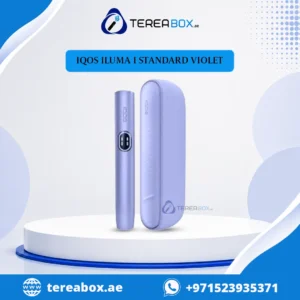
- IQOS ILUMA i Standard Violet
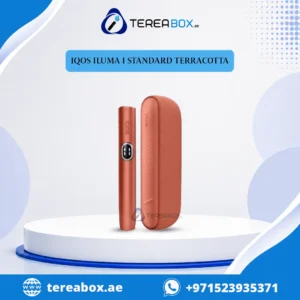
- IQOS ILUMA i Standard Terracotta
- IQOS ILUMA i Standard Electric Purple
IQOS ILUMA i Prime
The IQOS ILUMA i Prime is the flagship model, known for its premium materials and elegant charging design. Premium finishes deserve a gentler touch. Use only the softest microfibre cloth, avoid any rough brushes on the outer surface, and never use abrasive materials that could scratch the finish.
Prime options include:
- IQOS ILUMA i Prime Midnight Black
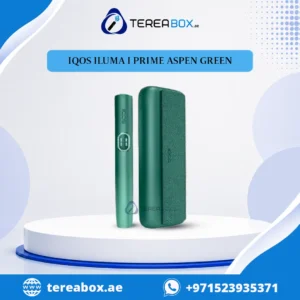
- IQOS ILUMA i Prime Aspen Green
- IQOS ILUMA i Prime Breeze Blue
- IQOS ILUMA i Prime Garnet Red
IQOS ILUMA Limited Editions
Limited edition devices often have special finishes, and many owners keep them for display or gifting, so preserving the look matters even more. Stick to dry microfibre wiping and avoid any liquid on decorative surfaces. You can explore the full IQOS ILUMA Limited Edition collection, including:
- IQOS ILUMA i Standard Galaxy Blue Limited Edition
- IQOS ILUMA i Standard Remix Limited Edition
- IQOS ILUMA i ONE Remix Limited Edition
What NOT to Do When Cleaning IQOS ILUMA
Most damage to heated tobacco devices comes from well-meant but wrong cleaning. Avoid every one of these.
Do not use water inside the device. Never pour, spray or run water into the stick opening or charging port. Moisture and electronics do not mix.
Do not submerge the holder or charger. Not even briefly. These are electronic devices, not waterproof accessories.
Do not use sharp or metal objects. Pins, needles, paper clips, knives and tweezers can scratch or damage internal parts near the opening. Stick to cotton swabs and soft brushes.
Do not use harsh chemicals. Bleach, strong cleaners, acetone or aggressive sprays can damage plastics, coatings and paint finishes.
Do not use old-style cleaning tools meant for blade models. The cleaning sticks made for older IQOS devices were designed for a completely different heating system. ILUMA has no blade to clean, so those tools are unnecessary and not designed for it.
Do not use HEETS. IQOS ILUMA is designed exclusively for TEREA sticks. Using any incompatible consumable can cause permanent damage. Read more about compatible sticks in our TEREA collection.
Do not clean while charging or hot. Always disconnect and let the device cool first.
Do not force anything. If a crumb will not come out with a gentle tap and a soft swab, stop. Forcing it risks turning a small problem into a big one.
Do not attempt to open or dismantle the device. Opening the body can damage it and may affect your warranty.
Common Problems and How to Fix Them
| Problem | Likely Cause | Safe Fix |
|---|---|---|
| TEREA stick feels tight going in | Crumbs or lint near the opening | Tap device gently, wipe rim with a dry cotton swab |
| Device will not charge | Dust or lint in the charging port or on charger contacts | Clean port and contacts with a dry soft brush, then retry |
| Holder does not seat properly in the charger | Lint in the charger slot | Clean the slot with a dry swab or brush |
| Device looks dull or smudged | Fingerprints, oils, pocket dust | Wipe with soft microfibre cloth |
| Slight tobacco smell on the device | Residue on the exterior or in the opening | Wipe exterior, swab opening gently, air out in a ventilated area |
| Device does not start heating | Low battery or poor charging connection | Charge fully, check the port and contacts are clean |
| Error lights or repeated vibrations | Various causes | Check your user manual, and contact support if it persists |
If you have carried out the safe fixes above and the problem remains, stop cleaning and get advice. Repeated cleaning will not fix an electronic fault.
IQOS ILUMA vs Older IQOS: Cleaning Compared
Understanding the difference makes it easier to see why ILUMA cleaning is so simple.
| Feature | Older Blade-Based IQOS | IQOS ILUMA |
|---|---|---|
| Heating method | Internal heating blade | Smartcore induction, heats from inside the stick |
| Heating blade | Yes | No |
| Residue build-up | Frequent on the blade | Greatly reduced |
| Cleaning frequency | Regular deep cleaning | Light, occasional wipe-down |
| Cleaning tools | Dedicated cleaning sticks | Soft cloth, dry swab, soft brush |
| Risk of blade breakage | Possible | Not applicable |
| Compatible sticks | HEETS | TEREA only |
The move from blade heating to induction heating is the single biggest reason ILUMA users spend so much less time on maintenance. If you are upgrading from an older device, you can happily retire the cleaning sticks.
Battery and Charging Care
Cleaning is only one side of device care. Battery habits matter just as much for long-term performance.
Charge with the right cable and adapter. Use the cable supplied with your device or a quality, compatible USB-C cable. Cheap, uncertified chargers can charge poorly or damage the battery.
Avoid extreme heat while charging. Never charge the device on a car dashboard, under direct sun or beside a heater. Heat is the biggest enemy of lithium-ion batteries.
Do not leave it plugged in for days. Once fully charged, disconnect it. Constant charging is not necessary.
Do not let it stay at zero. Regularly draining a lithium-ion battery to empty and leaving it there can shorten its lifespan. Recharge when it gets low.
Keep the port dry. If the device or charger gets wet, dry it fully before connecting any power.
Use a stable surface. Charge on a flat, hard surface rather than a bed, sofa or pile of clothes.
Good charging habits combined with the light cleaning routine in this guide will help your device stay reliable for a long time.
Caring for Your TEREA Sticks
A surprising amount of device cleanliness starts with how you treat your sticks. Healthy sticks make for a cleaner device.
Store sticks in their original pack. The pack protects them from moisture, dust and crushing. Loose sticks in a pocket shed more crumbs.
Keep them out of heat. Dubai summers can be extreme. Do not leave sticks in a hot car. Heat can dry them out and affect flavour.
Insert gently and straight. Slide the stick in with steady, gentle pressure and avoid twisting or forcing it. A straight insertion reduces the chance of crumbs breaking off.
Remove gently after use. Pull the used stick out straight and dispose of it properly.
Choose fresh stock. Buying from a reliable supplier helps make sure your sticks are fresh and genuine.
TereaBox UAE stocks TEREA sticks from several regional collections, so you can pick the flavour profile that suits you:
Some popular picks include IQOS TEREA Amber Italy, Terea Starling Pearl and Terea Kyrgyzstan Yellow.
Storing and Carrying Your Device in Dubai’s Climate
The UAE’s climate is tough on electronics, so a few local habits go a long way.
Beat the Heat
Never leave your IQOS ILUMA in a parked car. Interior temperatures in Dubai can climb far higher than the outside air, which can stress the battery and warp plastics. Take your device with you or keep it in a shaded, cool place.
Manage Humidity
Coastal humidity can leave a light film on devices moved between air-conditioned rooms and outdoor heat. Wipe the exterior dry if you notice condensation, and let the device settle to room temperature before charging.
Keep Sand and Dust Out
Dust and fine sand are common in the region. Keep your device in a case or pouch when heading to the desert, beach or a construction-heavy area. Dust that reaches the stick opening or charging port is the main reason many users reach for a cotton swab.
Use a Protective Case
A slim case protects against scratches, dust and drops. It also keeps pocket lint away from the charger slot. Wipe the case itself every so often, since it can trap grit.
Pocket and Bag Habits
Avoid carrying the device loose with keys, coins or make-up. Those items scratch finishes and drag lint into openings. A dedicated pocket or pouch keeps things far cleaner.
When to Replace Instead of Clean
Cleaning fixes dirt. It does not fix faults. Consider replacing your device or speaking to a professional if you notice:
- Persistent charging failure after cleaning the port and contacts
- Visible cracks or damage to the body or charger
- Battery draining unusually fast even after a full charge
- Swelling, unusual heat or strange smells from the device (stop using it immediately)
- Repeated error signals that do not clear after charging and cleaning
- Damage after liquid exposure
Never keep using a device that is swollen, overheating or damaged, since a faulty lithium-ion battery can be a safety risk. If you are ready to upgrade, the IQOS ILUMA range in Dubai offers models for different budgets and preferences.
Where to Buy Genuine IQOS ILUMA in Dubai
A device that is easy to clean should also be easy to trust. Genuine products matter because authentic devices are built to the manufacturer’s specifications, and authentic TEREA sticks are made to work properly with ILUMA’s induction heating.
At TereaBox UAE you can find:
- The full IQOS ILUMA range in a wide choice of colours
- ILUMA i ONE, ILUMA i Standard and ILUMA i Prime models
- Limited edition ILUMA devices
- Genuine TEREA sticks from multiple regions
- Delivery across Dubai and the UAE, with 24/7 customer support
Simple Buying Checklist
- Choose your preferred ILUMA model.
- Pick your TEREA flavours.
- Check that the product is genuine and the packaging is intact.
- Confirm your delivery address.
- Complete your order securely.
If you are unsure which model suits you, message the team on WhatsApp or visit the Contact Us page, and you can also learn more about TereaBox UAE.
Frequently Asked Questions
How do I clean my IQOS ILUMA?
Switch the device off, remove any TEREA stick and wipe the outside with a soft, dry, lint-free cloth. Gently clear loose crumbs from the stick opening using a dry cotton swab, and clean the charger slot and charging port with a dry swab or soft brush. Avoid liquids and sharp objects.
Does IQOS ILUMA need to be cleaned like older IQOS models?
No. Older models used a heating blade that gathered residue and needed regular deep cleaning. The IQOS ILUMA uses blade-free induction heating, so it needs only a light, occasional wipe-down.
Can I use water to clean my IQOS ILUMA?
Do not put water inside the device or charging port, and never submerge it. For the exterior only, you can use a cloth that is barely damp, then dry the surface straight away.
Can I use alcohol wipes on IQOS ILUMA?
It is safest to avoid liquids and chemical cleaners, especially near the stick opening and charging port, because they may damage finishes or internal parts. A dry microfibre cloth is the safest choice for regular care. If you are unsure, follow the guidance in your device’s user manual.
How often should I clean my IQOS ILUMA?
A quick exterior wipe once or twice a week suits most users, with a gentle check of the stick opening and charger slot every week or two. If you carry the device in a pocket or bag daily, clean a little more often.
Can I use the cleaning sticks from my old IQOS?
Those cleaning sticks were made for blade-based models. ILUMA has no blade, so they are not needed and are not designed for this device. Use soft, dry, gentle tools instead.
What should I do if tobacco crumbs are stuck in the opening?
Hold the device with the opening facing down and tap it gently on your palm. Then use a dry cotton swab or soft brush around the rim. If crumbs remain and you cannot remove them easily, stop rather than forcing anything.
Why will my IQOS ILUMA not charge?
The most common cause is dust or lint in the charging port or on the charger contacts. Clean them gently with a dry brush or swab and try again. If it still will not charge, check your cable and adapter, then contact support.
Can I clean my IQOS ILUMA while it is charging?
It is best not to. Disconnect the device from the charger first, clean the holder and the charger separately, and let everything dry before reconnecting.
Is the IQOS ILUMA pocket charger cleaned differently?
The steps are similar. Wipe the outside with a dry cloth, clear lint from the holder slot with a dry swab or soft brush, and gently brush dust from the metal contacts and charging port.
Do I need to clean a new IQOS ILUMA?
A brand-new device is clean, but a quick wipe of the exterior is fine before first use. After that, follow the routine in this guide as needed.
Can I use HEETS with IQOS ILUMA?
No. IQOS ILUMA works only with TEREA sticks. HEETS are incompatible and should never be used with this device. Browse compatible options in the TEREA collection.
Which IQOS ILUMA model is easiest to keep clean?
All models share the same blade-free design, so all are easy. The ILUMA i ONE has the simplest all-in-one form, while the ILUMA i Standard and ILUMA i Prime have an extra charger to tidy.
Where can I buy genuine IQOS ILUMA in Dubai?
You can order genuine devices and TEREA sticks online from TereaBox UAE, with delivery across Dubai and the wider UAE.
Can heat in the UAE damage my device?
Yes. Prolonged high temperatures, such as leaving the device in a parked car, can stress the battery and plastics. Keep it in a cool, shaded place and avoid charging in direct sun.
Final Thoughts
The IQOS ILUMA takes one of the biggest chores out of heated tobacco: the blade cleaning routine. Even so, a short, gentle care habit is worth keeping. Wipe the exterior, clear stray crumbs from the stick opening, keep the charger slot and charging port free of lint, and protect the device from Dubai’s heat and dust.
To recap the essentials:
- Switch off, remove the stick and disconnect the charger before cleaning.
- Use only dry, soft tools: microfibre cloth, dry cotton swabs and a soft brush.
- Never use water, chemicals or sharp objects inside the device.
- Clean by need, not by obsession. A few minutes every week or two is plenty.
- Look after the battery with good charging habits.
- Buy genuine devices and TEREA sticks from a trusted supplier.
Ready to choose your device or restock your sticks? Explore the full range at TereaBox UAE and enjoy fast delivery across Dubai and the UAE.