

How to Use and Charge IQOS ILUMA i PRIME: The Complete Guide for Dubai and the UAE

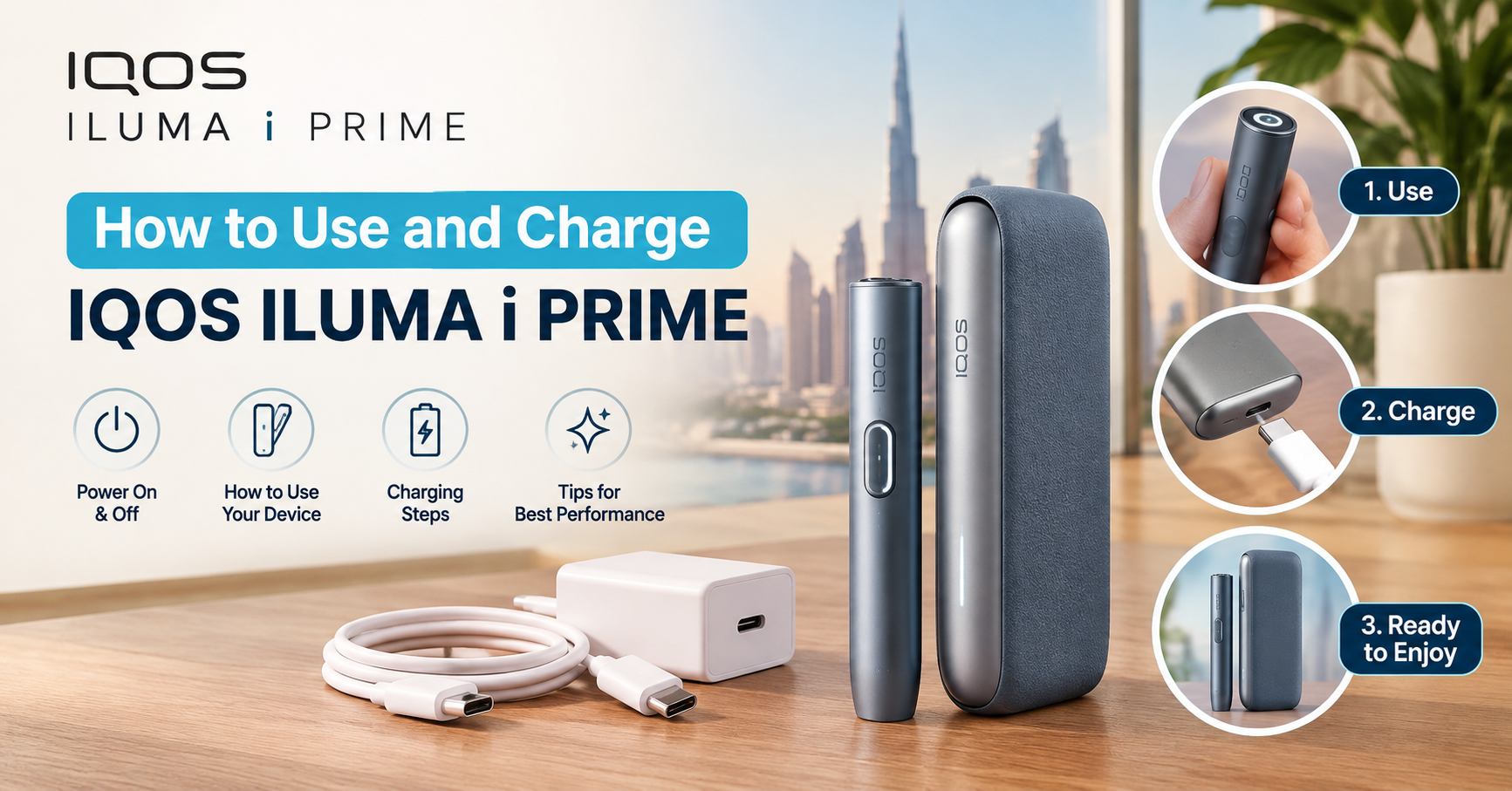
How to Use and Charge IQOS ILUMA i PRIME?
To use the IQOS ILUMA i PRIME, make sure the holder and pocket charger are charged, insert a compatible TEREA SMARTCORE stick into the holder, wait about 20 seconds for the automatic preheat, then use the session until it ends, which is a maximum of six minutes or 14 puffs, whichever comes first. To charge it, connect the pocket charger to a power source with a USB-C cable and place the holder inside the charger to recharge the holder.
This guide walks you through every stage in plain language: what the device is, how to prepare it, how to charge it safely, how to run a session, how to use features such as Pause Mode and Autostart, how to look after the battery, and what to do when something does not work as expected. If you are still choosing a device, you will also find a clear summary of the colours available and where to buy the IQOS ILUMA i PRIME device in Dubai, UAE.
What Is the IQOS ILUMA i PRIME?
The IQOS ILUMA i PRIME is the premium model in the IQOS ILUMA family of heated tobacco devices. Rather than burning tobacco, a heated tobacco device warms it to release flavour and nicotine. The ILUMA range takes this a step further by replacing the traditional heating blade with induction technology.
How Induction Heating Works
Older IQOS devices heated tobacco with a thin blade that entered the stick. The ILUMA range uses the SMARTCORE INDUCTION SYSTEM™ instead. A specially designed element inside the TEREA SMARTCORE stick is heated by the device, so there is no blade to insert, scrape or clean.
For everyday users, this brings several practical advantages:
- No blade to clean. Residue is no longer left on a blade, which removes a routine chore.
- Automatic operation. The device manages the heating process, so there are no temperature settings to adjust.
- A more premium build. The i PRIME is designed with higher-end materials and a touch screen for easy control.
Main Features of the IQOS ILUMA i PRIME
- Blade-free SMARTCORE induction heating
- Touch screen showing preheating and session status
- Autostart function
- Pause Mode for temporarily suspending a session
- Rechargeable battery with USB-C charging
- Vibration alerts
- Bluetooth connectivity for the IQOS app
- Premium casing and metal frame
- Compatibility with TEREA SMARTCORE sticks only
If you want a deeper product overview, browse the full IQOS ILUMA range in Dubai.
Buy IQOS ILUMA i PRIME Device in Dubai, UAE
What You Need Before You Start
Before your first session, gather the essentials and check that everything is in good condition.
- The IQOS ILUMA i PRIME device, including the holder and pocket charger.
- A USB-C charging cable and power adapter. Use the original accessories or a fully compatible, certified alternative.
- Genuine TEREA SMARTCORE sticks. These are the only sticks that work with the device. Explore the available TEREA sticks in Dubai to find your preferred flavour.
- A dry, clean space. Keep the device away from liquids and dust while you set it up.
Check the Packaging
When you receive a new device, inspect the box for signs of tampering and make sure the contents match the model you ordered. Buying from a trusted retailer such as TereaBox UAE helps you avoid counterfeit or mismatched products.
How to Charge the IQOS ILUMA i PRIME
Charging is the first step of using any new device, and it is simple once you understand the two parts involved: the holder and the pocket charger.
Understanding the Holder and the Pocket Charger
- The holder is the part you insert the TEREA stick into and use during your session.
- The pocket charger stores power, recharges the holder, and is itself recharged through USB-C.
Think of the pocket charger as a portable power bank for the holder. You top up the pocket charger from a wall adapter or another suitable USB power source, and the pocket charger tops up the holder whenever you place it inside.
Step-by-Step: Charging the Pocket Charger
- Connect the cable. Plug the USB-C cable into the USB-C port on the pocket charger.
- Connect to power. Plug the other end into a suitable USB power adapter or compatible charging source.
- Watch the indicators. The device uses LED indicators to show charging progress and battery level. Refer to the user guide for the exact meaning of each indicator pattern on your unit.
- Wait for a full charge. According to the product information published for this model, a complete charge takes approximately 135 minutes.
- Disconnect safely. Once the indicators show a full charge, unplug the cable and keep the port clean and dry.
Step-by-Step: Charging the Holder
- Make sure the pocket charger has power. A pocket charger with a very low battery may not be able to recharge the holder properly.
- Place the holder into the pocket charger. Insert it gently and fully so that the charging contacts connect.
- Wait for the holder to recharge. The holder is designed for fast charging, with the published figure being roughly one minute and fifty seconds for a quick top-up between sessions.
- Check the indicators. When the holder is ready, you can remove it and begin your next session.
Buy IQOS ILUMA i PRIME Device in Dubai, UAE
How Many Sessions Can You Get Per Charge?
The published product information states that a fully charged system can deliver up to 20 consecutive sessions, and that the holder can support back-to-back sessions before needing to be recharged. Real-world results vary with how often you use the device, whether Pause Mode is used, the surrounding temperature and the age of the battery. Treat the published numbers as a guide rather than a guarantee.
Safe Charging Tips
- Use original or certified accessories. Cheap, uncertified chargers can damage the battery or create safety risks.
- Do not charge in extreme temperatures. Avoid leaving the device in a hot car or in direct sunlight while charging.
- Keep the USB-C port clean and dry. Moisture or debris can interfere with charging.
- Do not cover the device while it charges. Good airflow helps prevent overheating.
- Do not use a damaged device or cable. If you notice swelling, unusual heat, cracks or a damaged cable, stop using it and contact the seller or manufacturer’s support.
- Do not leave it charging unattended for very long periods. Unplug it once it is full.
How to Use the IQOS ILUMA i PRIME: Step by Step
Once the device is charged, using it is straightforward. The steps below follow the typical order of a session.
Step 1: Make Sure the Device Has Enough Power
Check the battery level of the pocket charger and holder before you begin. If the level is low, charge the device first using the steps above. Starting a session with an almost empty battery can lead to interrupted use or a failed preheat.
Step 2: Take Out a Compatible TEREA SMARTCORE Stick
Remove one stick from its original packaging. Use only genuine TEREA SMARTCORE sticks designed for ILUMA devices.
Important safety points:
- Never take the stick apart. The internal structure is a key part of the induction system, and the SMARTCORE element contains metal components.
- Keep sticks away from children and pets. Swallowing the metal element can cause serious injury.
- Do not use HEETS or any other stick. They are designed for older devices and will not work with ILUMA.
Step 3: Insert the Stick Into the Holder
Line up the stick with the opening of the holder and push it in gently and steadily. The device is designed to recognise a compatible stick automatically.
- Do not force it. If it does not slide in smoothly, remove it and check the alignment.
- Insert it fully. A stick that is only partly inserted may prevent heating from starting.
Buy IQOS ILUMA i PRIME Device in Dubai, UAE
Step 4: Wait for the Preheat
With a correctly inserted stick, Autostart begins the heating process without you pressing any buttons. Preheating takes approximately 20 seconds. During this time, the touch screen shows the heating status so you can follow progress at a glance, and the device notifies you with a vibration when it is ready.
Step 5: Use the Device During the Session
When preheating finishes, the device is ready. A single session ends when either of these limits is reached, whichever comes first:
- Six minutes of use, or
- 14 puffs.
You will receive a notification as the session approaches its end, so you can finish comfortably. Always follow the usage instructions provided by the manufacturer.
Step 6: Use Pause Mode When Needed
If you need to stop temporarily, such as to answer a call or speak to someone, you can use Pause Mode where it is available during your session. Follow the prompts on the touch screen. Pause Mode can suspend a single session for up to eight minutes, after which the session ends.
Step 7: Remove and Dispose of the Used Stick
When the session is over, carefully remove the used stick from the holder.
- Be gentle. Do not pull with excessive force, as this could damage the device.
- Allow for residual heat. The used stick can still be warm, so handle it carefully.
- Dispose of it responsibly. Place used sticks in a suitable bin and never litter.
- Never reuse a stick. A used stick should not be re-inserted for another session, even if it looks untouched.
Step 8: Return the Holder to the Pocket Charger
After removing the stick, put the holder back into the pocket charger so it recharges and is ready for your next session. This simple habit keeps the system topped up throughout the day.
Buy IQOS ILUMA i PRIME Device in Dubai, UAE
Smart Features Explained
Autostart
Autostart means the device starts heating automatically when a compatible stick is inserted. There is no button to hold or press, which reduces mistakes and makes the experience easier for new users.
Touch Screen
The i PRIME’s touch screen displays useful information such as preheating progress and session status. It also lets you follow prompts, such as activating Pause Mode.
Vibration Alerts
Short vibrations tell you when the device is ready, when the session is close to ending, and when the battery is low, so you do not need to keep checking the screen.
Bluetooth and the IQOS App
The device supports Bluetooth connectivity for integration with the IQOS app, where available. The app can help with device settings, status information and support content. Use only the official app from the official app store.
FlexPuff and FlexBattery
The i PRIME is associated with features such as FlexPuff and FlexBattery, which are designed to adapt the experience and to support more flexible usage between charges. Availability of specific modes can depend on your device configuration, battery level and conditions, so check your user guide for what applies to your unit.
How Long Does the Battery Last?
Battery performance depends on several factors:
- How often you use the device. More sessions per day means more frequent charging.
- Pause Mode use. Extended pauses affect overall session use.
- Temperature. Very hot or very cold environments can reduce performance.
- Battery age. All rechargeable batteries gradually lose capacity over time.
- Charging habits. Consistently poor charging habits can shorten battery life.
Rather than relying on a fixed number of sessions, follow the manufacturer’s guidance and learn how your own usage pattern affects charging frequency.
Buy IQOS ILUMA i PRIME Device in Dubai, UAE
Battery Care Tips to Extend Lifespan
- Use original or compatible certified chargers only.
- Avoid extreme heat and cold. Do not leave the device in a car, near a heater or in direct sun.
- Recharge before the battery is completely empty, when convenient.
- Keep charging contacts clean and dry.
- Do not drop or crush the device.
- Store it correctly. If you will not use it for a while, store it in a cool, dry place following the manufacturer’s storage instructions.
Cleaning and Maintenance
One of the biggest benefits of the ILUMA range is the absence of a heating blade. That means you no longer need to clean tobacco residue from a blade after sessions.
However, “no blade cleaning” does not mean “no care.” To keep your IQOS ILUMA i PRIME working well:
- Keep it dry. Never immerse it in water or expose it to liquids.
- Wipe the exterior gently with a soft, dry or very slightly damp cloth, following the official care instructions.
- Do not use harsh chemicals or abrasive materials.
- Remove used sticks promptly so nothing remains inside the holder.
- Protect the USB-C port from dust and moisture.
- Use a protective case if you carry the device in a bag or pocket with keys and coins.
Troubleshooting Common Problems
Even a well-designed device can occasionally cause confusion. Here are common situations and what to try.
| Problem | Possible cause | What to try |
|---|---|---|
| Device will not start preheating | Stick not fully inserted, incompatible stick, or low battery | Remove the stick, check it is a genuine TEREA SMARTCORE stick, reinsert gently and check battery level |
| Stick feels difficult to insert | Misalignment or wrong stick type | Do not force it. Remove, realign and try again. Confirm the stick is compatible |
| Holder not charging | Holder not seated properly or pocket charger is low | Reinsert the holder fully, charge the pocket charger first |
| Pocket charger not charging | Faulty cable, adapter or dirty port | Try another certified cable and adapter, and gently check the port for debris |
| Battery drains quickly | Cold or hot environment, ageing battery, heavy use | Use in moderate temperatures, follow care tips, and contact support if the problem continues |
| Session ends earlier than expected | Session limit reached or low battery | Remember the six-minute or 14-puff limit, and recharge if needed |
| Device feels unusually hot | Overuse, charging in heat, or a fault | Stop using it, let it cool in a safe place and contact support if it happens again |
| App will not connect | Bluetooth off or app issue | Turn Bluetooth on, update the app, restart the phone and pair again |
If a problem persists, stop using the device and contact the seller or the manufacturer’s official support. Do not attempt to open or repair the device yourself.
Buy IQOS ILUMA i PRIME Device in Dubai, UAE
Common Mistakes to Avoid
- Using HEETS or other sticks. Only TEREA SMARTCORE sticks work with ILUMA devices.
- Forcing the stick in. This can damage the holder.
- Using cheap, uncertified chargers. They can harm the battery and may be unsafe.
- Reusing sticks. A used stick should always be thrown away.
- Leaving the device in a hot car. Heat is one of the fastest ways to shorten battery life.
- Ignoring vibration alerts. They exist to help you manage sessions and charging.
- Buying from unreliable sources. Counterfeit or grey-market devices may lack proper safety checks.
- Letting children or pets near the sticks. The metal component is a swallowing hazard.
IQOS ILUMA i PRIME Colours Available in Dubai
The i PRIME comes in four colours, each with a premium textured casing and metal frame. Prices below were listed at the time of writing and may change, so always confirm the latest price on the product page.
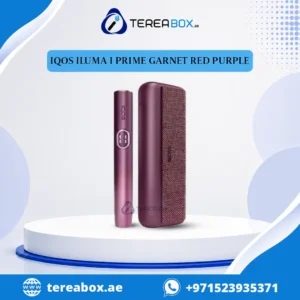
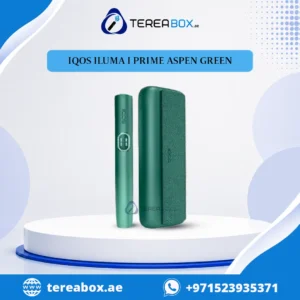
IQOS ILUMA i PRIME Aspen Green
A bright, fresh shade for users who want a distinctive look.
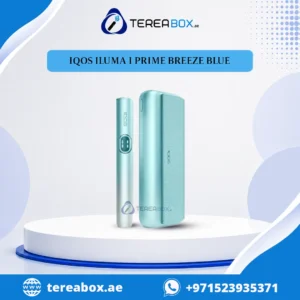
IQOS ILUMA i PRIME Breeze Blue
A versatile, classic colour that suits both casual and formal settings.
IQOS ILUMA i PRIME Garnet Red
A bold, rich colour for those who prefer a statement device.
IQOS ILUMA i PRIME Midnight Black
A sleek, minimalist choice for a clean, understated style.
All four colours share the same SMARTCORE induction technology, so the choice comes down to personal style and current price.
IQOS ILUMA i PRIME vs Other ILUMA Models
The ILUMA family includes several devices, and choosing the right one depends on your priorities.
| Feature | ILUMA i PRIME | ILUMA i ONE | ILUMA i Standard |
|---|---|---|---|
| Heating | Induction, no blade | Induction, no blade | Induction, no blade |
| Stick compatibility | TEREA SMARTCORE | TEREA SMARTCORE | TEREA SMARTCORE |
| Positioning | Premium model | Simplified, easy-to-use model | Core model |
| Touch screen | Yes | Check product page | Check product page |
| Best for | Users who want a premium, feature-rich device | Users who want a simpler device | Users who want a balanced option |
You can compare them directly by visiting the category pages for IQOS ILUMA i ONE in Dubai, IQOS ILUMA i Standard in Dubai and the IQOS ILUMA Limited Edition range.
Pros and Cons of the IQOS ILUMA i PRIME
| Pros | Cons |
|---|---|
| Blade-free induction heating | Higher price than simpler ILUMA models |
| No regular blade cleaning | Works only with TEREA SMARTCORE sticks |
| Premium design and materials | Not compatible with HEETS |
| Touch screen and Autostart | Delivers nicotine, which is addictive |
| Pause Mode for flexibility | Not risk-free |
| USB-C charging | Needs regular recharging |
| Vibration alerts | Battery performance changes over time |
| Four colour options | Colour and accessory availability can vary |
Buy IQOS ILUMA i PRIME Device in Dubai, UAE
If you are ready to buy, the best approach is to choose a seller that offers genuine products, clear information and reliable delivery.
TereaBox UAE offers the IQOS ILUMA i PRIME alongside compatible TEREA sticks, so you can order the device and your first supply of sticks in one place. At the time of writing, the i PRIME colours were listed in stock, with prices starting from AED 350, and the store highlights free delivery on orders over AED 400, 100% authentic products and 24/7 customer support.
Why Buy From TereaBox UAE?
- Device and sticks in one place. Order the i PRIME together with compatible TEREA sticks.
- Four colour options. Aspen Green, Breeze Blue, Garnet Red and Midnight Black.
- Delivery across Dubai and the UAE. Fast shipping options are available.
- Support when you need it. Customer support is available through WhatsApp.
- Authenticity focus. The store emphasises genuine products.
Checklist Before You Order
- Confirm you are legally eligible. You must be at least 18 years old, and you should check current UAE regulations for tobacco and nicotine products.
- Verify the exact model. Make sure you are choosing the ILUMA i PRIME and not a similarly named device.
- Confirm TEREA compatibility. Plan to buy genuine TEREA SMARTCORE sticks.
- Check the price and delivery terms. Prices and availability can change.
- Inspect the packaging on arrival. Make sure it is sealed and complete.
- Keep your receipt. It helps if you need support later.
Buy IQOS ILUMA i PRIME Device in Dubai, UAE
Choose Your TEREA Sticks
The device is only half of the experience. TEREA sticks come in a range of flavour profiles and regional editions. Browse the available categories:
- IQOS TEREA in Dubai (all sticks)
- Terea Swiss in Dubai
- Terea Japan in Dubai
- IQOS Terea Italy in Dubai
- Terea Indonesian in Dubai
- Terea Kyrgyzstan in Dubai
- TEREA Uzbekistan in Dubai
Responsible Use and Safety
Heated tobacco devices are intended for adults who already smoke or use nicotine. They are not a risk-free alternative and they are not a way to start using nicotine.
- Nicotine is addictive. Use the device only if you are an adult who already uses tobacco or nicotine.
- Keep away from children and pets. Both the device and the sticks should be stored out of reach.
- Do not use if you are pregnant or have a medical condition without speaking to a healthcare professional.
- Never modify the device. Do not open, repair or alter it.
- Follow local laws. Rules about purchase, use and public places can change, so check current requirements in the UAE.
Frequently Asked Questions
How do I use the IQOS ILUMA i PRIME for the first time?
Charge the pocket charger and holder, insert a genuine TEREA SMARTCORE stick into the holder, wait for the automatic preheat of about 20 seconds, and begin your session once the device signals that it is ready. The session ends after six minutes or 14 puffs, whichever comes first.
How do I charge the IQOS ILUMA i PRIME?
Connect the pocket charger to a power source using a USB-C cable, and place the holder inside the pocket charger to recharge it. Use the original charger or a fully compatible, certified accessory, and watch the LED indicators for charging status.
How long does it take to charge the IQOS ILUMA i PRIME?
According to the published product information, a full charge takes approximately 135 minutes, while the holder can recharge quickly in under two minutes for a top-up between sessions. Actual times can vary with the charger and conditions.
How many sessions can I get on one charge?
The published specifications mention up to 20 consecutive sessions per full charge. Real-world results depend on usage habits, temperature and battery age.
How long does preheating take?
Preheating takes about 20 seconds. The touch screen shows progress, and the device vibrates when it is ready.
How long does one session last?
A session lasts a maximum of six minutes or 14 puffs, whichever comes first.
What is Pause Mode and how long can I pause?
Pause Mode lets you temporarily suspend a session when it is available. A single session can be paused for a maximum of eight minutes.
Can I use HEETS sticks with the IQOS ILUMA i PRIME?
No. The device works only with genuine TEREA SMARTCORE sticks. HEETS are made for older IQOS devices and are not compatible.
Do I need to clean the IQOS ILUMA i PRIME?
You do not need to clean a heating blade because the device does not have one. You should still keep it dry, wipe the exterior gently and follow the manufacturer’s care instructions.
Can I use any USB-C charger?
Use the original charger or a fully compatible, certified accessory. Uncertified chargers may damage the battery or create safety risks.
Why will my device not start heating?
Common causes include a stick that is not fully inserted, an incompatible stick, or a low battery. Remove the stick, check that it is genuine and compatible, reinsert it gently and confirm the battery level.
Can I reuse a TEREA stick?
No. A used stick should never be reused. Dispose of it responsibly after each session.
Is the IQOS ILUMA i PRIME safe?
No tobacco or nicotine product is risk-free. The device heats rather than burns tobacco, but it still delivers nicotine, which is addictive. It is intended only for adult users who already consume tobacco or nicotine.
Where can I buy the IQOS ILUMA i PRIME in Dubai?
You can buy it from TereaBox UAE, where the device is available in four colours together with compatible TEREA sticks.
Which colour should I choose?
All colours share the same technology, so choose based on style and price: Aspen Green for a fresh look, Breeze Blue for a versatile classic, Garnet Red for a bold statement and Midnight Black for a minimalist feel.
Get Your IQOS ILUMA i PRIME Today
Learning how to use and charge the IQOS ILUMA i PRIME is easy once you know the routine: charge the pocket charger, keep the holder topped up, insert a genuine TEREA SMARTCORE stick, let Autostart handle the preheat, finish your session within the six-minute or 14-puff limit, and return the holder to the charger. Add careful battery habits and gentle handling, and the device will serve you well for a long time.
Ready to get started? Choose your colour, add your TEREA sticks and enjoy fast delivery across Dubai and the UAE.