

How to Clean Your IQOS Device: The Complete Step-by-Step Guide for UAE Users

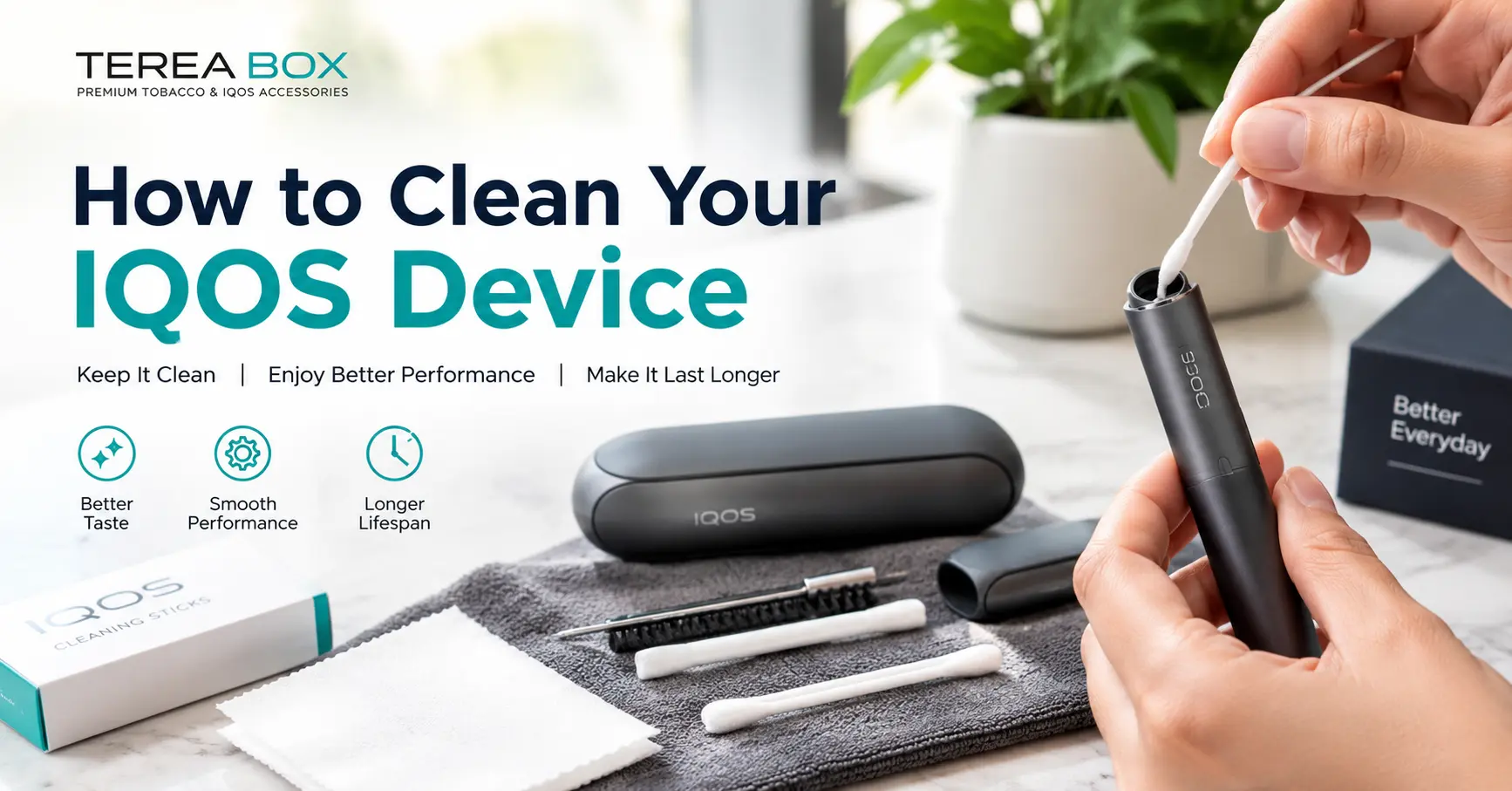
If you use a heated tobacco device in Dubai or anywhere in the UAE, you have probably asked the same question at some point: how do I clean my IQOS device, and do I even need to? The honest answer depends on which model you own. Older blade-based holders need regular cleaning. The newer IQOS ILUMA series was designed so that routine blade cleaning is no longer part of ownership.
This guide explains both situations in plain language. You will learn how to tell which type of device you have, how to clean an older IQOS holder step by step, how to look after an IQOS ILUMA device, which mistakes can damage your holder, and how to keep everything in good condition in the UAE’s hot and dusty climate. At the end, you will also find related products from TereaBox UAE if you are ready to upgrade or restock.
How to Clean Your IQOS Device?
To clean an older blade-based IQOS holder, wait at least 30 seconds for it to cool, remove the cap, insert the IQOS Cleaning Tool gently until it reaches the bottom of the heating chamber, twist it two to three times, pull it straight out, and finish with an IQOS Cleaning Stick. Never use water, solvents, or compressed air. IQOS ILUMA devices do not require routine blade cleaning because they use induction heating with no blade.
That short answer covers most situations. The rest of this article gives you the detail, the reasoning, and the practical habits that keep your device working well for longer.
Shop IQOS TEREA Sticks in Dubai →
Table of Contents
- Which IQOS Device Do You Have?
- Do You Need to Clean an IQOS ILUMA?
- Why Cleaning Matters for Blade-Based IQOS Holders
- What You Need Before You Start
- How to Clean an Older IQOS Holder (Step by Step)
- How to Clean the IQOS Cap
- How to Clean the Cleaning Tool Itself
- How to Look After Your IQOS ILUMA Device
- Cleaning the Pocket Charger and Charging Contacts
- How Often Should You Clean Your IQOS?
- Common Cleaning Mistakes to Avoid
- Signs Your IQOS Needs Attention
- Caring for Your Device in the UAE Climate
- Why TEREA Sticks Help Keep an ILUMA Device Clean
- Shop IQOS ILUMA Devices and TEREA Sticks
- Frequently Asked Questions
Which IQOS Device Do You Have?
Before you pick up any cleaning tool, identify your model. This single step prevents most mistakes, because the two generations of IQOS work in completely different ways.
Blade-based IQOS devices
These include IQOS 2.4 Plus, IQOS 3 DUO, and similar holders. They use a small ceramic heating blade that slides into the tobacco stick. Because the blade touches the stick, tobacco residue gradually builds up in the heating chamber. These holders use HEETS or compatible sticks and need regular cleaning.
Induction-based IQOS ILUMA devices
The IQOS ILUMA family (ILUMA i ONE, ILUMA i, and ILUMA i PRIME) uses Smartcore Induction technology. There is no heating blade. Instead, the tobacco stick contains a metal element that is heated from within by the device. These devices use TEREA sticks, and TEREA sticks cannot be used in older blade-based holders.
| Feature | Older IQOS (2.4 Plus, 3 DUO) | IQOS ILUMA series |
|---|---|---|
| Heating method | Ceramic blade | Smartcore Induction (no blade) |
| Compatible sticks | HEETS | TEREA |
| Routine chamber cleaning | Required | Not required for normal use |
| Cleaning tools | Cleaning Tool and Cleaning Sticks | None needed for the blade |
| Risk of broken blade | Yes | No blade to break |
| Main upkeep | Regular cleaning | Keep clean and dry, charge correctly |
If you are not sure which one you own, look at the stick you use. If it is a TEREA stick, you own an ILUMA device. If it is a HEETS stick, you have an older holder.
Shop IQOS TEREA Sticks in Dubai →
Do You Need to Clean an IQOS ILUMA?
For normal use, no. This is one of the biggest practical advantages of the ILUMA platform, and it is the main reason many users upgrade.
On older IQOS holders, the blade pushes into the tobacco, so small flakes and residue collect around the chamber. Over time that residue can affect taste and performance. On IQOS ILUMA, the Smartcore Induction System heats the stick from the inside, and the TEREA stick is sealed at both ends to keep the internal elements contained. That design keeps the holder much cleaner after each session, which is why the manufacturer states that cleaning is not necessary between uses.
What “no cleaning required” really means
It means you do not have to clean a heating blade or scrape residue out of a chamber the way you would with an older model. It does not mean you should ignore the device completely. A heated tobacco device lives in pockets, bags, cars, and on desks. It collects lint, dust, and fingerprints just like a phone. A little basic care keeps it looking and working well, and we cover that later in this guide.
Do not try to clean the ILUMA heating system with blade-era tools
A common mistake is to push an old IQOS Cleaning Tool or stick into an ILUMA holder because “cleaning is always good.” This is unnecessary and could damage the device. If you have an ILUMA holder, leave the internal heating system alone and follow the manufacturer’s instructions for your exact model.
Browse IQOS ILUMA Devices in Dubai →
Why Cleaning Matters for Blade-Based IQOS Holders
If you still use an older holder, regular cleaning is not optional. It directly affects your experience in several ways.
Better taste
Residue left in the chamber burns off repeatedly and can add a stale or burnt note to the flavour. A clean chamber lets the tobacco taste the way it was designed to taste.
More consistent heating
A buildup of tobacco bits around the blade can interfere with how the stick sits and how evenly it heats. Clean chambers support a smoother, more consistent session.
Easier stick insertion and removal
Residue can make sticks harder to insert and remove. Cleaning removes the sticky buildup and helps sticks slide in cleanly.
Longer device life
Dirt and residue put extra stress on the holder over time. Regular cleaning is one of the simplest ways to protect your investment.
Less odour from the holder
Old residue can create a lingering smell. Keeping the holder clean helps keep the device fresher.
What You Need Before You Start
For an older blade-based holder, you only need a few items. Use original or manufacturer-approved tools.
- IQOS Cleaning Tool (the slim tool that slides into the holder and removes residue from the chamber)
- IQOS Cleaning Sticks (the small cotton-tipped sticks used for finishing touches and for cleaning the cap)
- A dry, soft, lint-free cloth for the outside of the device
- A well-lit, clean surface where you can work without rushing
What you should not use
The manufacturer is very clear about this: do not use water, cleaning agents, solvents, chemicals, volatile liquids, or compressed air on the holder, the cap, or the cleaning tool. Liquids can reach the electronics inside the holder, and compressed air can push residue deeper or damage internal parts. Avoid pins, needles, knives, toothpicks, and other sharp or improvised tools. These can scratch the chamber or damage the blade.
Shop IQOS TEREA Sticks in Dubai →
How to Clean an Older IQOS Holder (Step by Step)
The process takes about a minute once you have done it a couple of times. Follow the steps in order.
Step 1: Switch off the holder and let it cool
Make sure the holder is switched off and that you are not in the middle of a heating cycle. Wait at least 30 seconds so the blade has time to cool down. Cleaning a hot blade is uncomfortable and can damage tools.
Step 2: Remove the cap
Slide or pull the cap off the holder so the heating chamber is fully exposed. Place the cap to one side. You will clean it separately.
Step 3: Avoid pressing the button
Be careful not to press the holder button while cleaning. Accidentally starting a heating cycle with a tool inside the chamber can damage both the tool and the device.
Step 4: Open the Cleaning Tool
Slide the Cleaning Tool open so the cleaning end is ready. Check that the tool is clean and undamaged. A dirty or damaged tool will only move residue around or scratch the chamber.
Step 5: Insert the Cleaning Tool gently
Use a straight, gentle movement to insert the tool into the heating chamber until it touches the bottom. Do not twist yet, and do not force it. If you feel strong resistance, pull back and try again at a straighter angle.
Step 6: Twist two to three times
Without pushing any harder, gently twist the tool two to three times. This loosens the residue from the chamber walls. Then stop twisting and pull the tool straight out.
Step 7: Tap out the residue
Gently tap the holder and the Cleaning Tool over a bin or tissue so the loosened tobacco bits fall out. Do not bang them hard against a surface.
Step 8: Finish with a Cleaning Stick
Take an IQOS Cleaning Stick and slide it straight along the chamber. Clean the area at the bottom of the chamber using gentle half-arch movements rather than full circles. Do not push hard, and do not hit the blade. The goal is to clean the bottom of the chamber, not the blade itself.
Step 9: Never try to clean the blade directly
This is the most important rule. The blade is fragile. Pushing, scraping, or wiping it can break it, and a broken blade can make the holder unusable. If a stick breaks inside the holder, do not dig it out with a knife, pin, or any sharp object. Follow the official troubleshooting guidance or contact IQOS support.
Step 10: Replace the cap and check the holder
Once the chamber looks clear, put the cap back on and confirm that it clicks or slides into place properly. Your holder is ready to use.
Quick tip: Clean the holder at a regular time, such as when you charge it in the evening. A routine makes it easy to remember.
How to Clean the IQOS Cap
The cap collects residue too, especially on the inside where the stick passes through.
- Remove the cap from the holder.
- Use an IQOS Cleaning Stick to clean the inside of the cap from the top.
- If your kit includes the Cleaning Tool, use it to clean the bottom of the cap as directed in the manual.
- Wipe the outside of the cap with a dry, soft cloth.
- Check that the cap is completely dry and free of residue before refitting.
Do not soak the cap in water or add soap. Liquids are not recommended for any part of the holder, and moisture can cause problems when the cap meets the electronic parts.
How to Clean the Cleaning Tool Itself
A dirty tool defeats the purpose. The Cleaning Tool can be cleaned without liquids:
- Use a fresh Cleaning Stick to gently remove the last residue from the tool.
- Tap the tool to shake out loose bits.
- Do not wash it with water, because moisture can later transfer to the holder’s electronics.
- Replace the tool if it becomes bent, cracked, or visibly damaged.
Cleaning Sticks are single-use items in practice. When a stick turns dark or frayed, replace it.
Shop IQOS TEREA Sticks in Dubai →
How to Look After Your IQOS ILUMA Device
Even though an ILUMA holder does not need blade-style cleaning, a simple care routine keeps it in top condition. These steps are general hygiene habits rather than a manufacturer cleaning procedure, so always check your user guide for model-specific instructions.
1. Wipe the exterior with a dry, soft cloth
Fingerprints, pocket lint, and light dust build up on the holder and charger. A dry microfibre or lint-free cloth removes them without risk. Avoid wet wipes, alcohol, and household cleaners.
2. Use sticks that fit properly
Insert each TEREA stick gently and straight, and stop when it aligns with the marked position. Forcing a stick or inserting it at an angle is the most common way to cause avoidable problems.
3. Remove used sticks promptly
Once the session ends, remove the used stick and dispose of it responsibly. Leaving used sticks in the holder for long periods is not good practice.
4. Keep the device dry
Moisture and electronics do not mix. If the holder gets wet, do not charge it or try to use it until you have checked the manufacturer’s guidance. Do not use hairdryers or heat sources to speed up drying.
5. Keep dust out of the charger
The pocket charger tends to collect lint and dust where the holder rests. Check it regularly and wipe it with a dry cloth.
6. Charge correctly
Use the original charger and cable where possible. Poor-quality chargers can cause charging problems and put the battery under stress.
7. Store the device properly
Keep the holder in its charger or case when it is not in use. Avoid leaving it loose in a bag with keys, coins, and sharp objects.
Shop IQOS ILUMA i PRIME Devices →
Shop IQOS ILUMA i ONE Devices →
Shop IQOS ILUMA i Standard Devices →
Cleaning the Pocket Charger and Charging Contacts
Whichever generation you own, the pocket charger deserves occasional attention. It spends its life in pockets and bags, so it picks up more dirt than the holder does.
What to do
- Make sure the charger is not plugged in and the holder is removed.
- Look into the holder slot with a light. If you see lint or loose debris, remove it gently with a dry cleaning stick or a soft, dry brush.
- Wipe the outside with a dry, soft cloth.
- Check the charging contacts for visible dirt. Do not scrape them with metal objects.
- Make sure the charging port is free from dust before connecting the cable.
What not to do
- Do not spray liquids into the charger.
- Do not use compressed air.
- Do not poke the contacts with pins or paper clips.
A clean charger helps the holder charge reliably and prevents the intermittent “not charging” problems that many users blame on the battery.
How Often Should You Clean Your IQOS?
Here is a simple schedule you can follow.
| Task | Older blade-based holder | IQOS ILUMA |
|---|---|---|
| Chamber cleaning with tool and stick | Once a day is recommended; more often if you use it heavily | Not required for normal use |
| Cap cleaning | Together with the holder | Not applicable in the same way |
| Wipe exterior with dry cloth | Weekly or as needed | Weekly or as needed |
| Check pocket charger for lint | Weekly | Weekly |
| Replace damaged Cleaning Tool or worn sticks | When damaged | Not applicable |
| Inspect charging contacts | Monthly | Monthly |
The official guidance for older holders suggests cleaning once a day for the best experience, and you can clean more often if you like. Many people clean every morning or every evening. Heavy users may notice that the device performs better with extra cleaning in between.
Shop IQOS TEREA Sticks in Dubai →
Common Cleaning Mistakes to Avoid
Most damage to IQOS devices comes from well-meant but incorrect cleaning. Avoid these.
Using water or wet wipes
Liquid can get into the holder’s electronics. Even a small amount can cause faults that are hard to fix. Keep everything dry.
Using alcohol, solvents, or household cleaners
These can damage plastics, coatings, and internal components. They are also not recommended by the manufacturer.
Blowing compressed air into the holder
It may seem like a clever shortcut, but compressed air can push residue deeper or harm internal parts. Do not use it.
Cleaning while the holder is hot
Wait for the blade to cool. Hot components and tools do not mix.
Pressing the button during cleaning
If the holder starts heating while a tool is inside, you can damage the tool and the device.
Scraping or touching the blade
The blade is fragile. Clean the bottom of the chamber and leave the blade alone.
Using sharp or improvised tools
Pins, needles, toothpicks, and knives can scratch surfaces and break the blade. Use only the approved tools.
Using damaged or dirty cleaning tools
A bent or dirty tool can make things worse. Replace it when needed.
Applying force
If a tool does not slide in easily, stop. Force is almost never the answer.
Cleaning an ILUMA with blade-era tools
ILUMA devices do not have a blade, so they do not need the older cleaning routine. Leave the internal heating system alone.
Signs Your IQOS Needs Attention
Your device often tells you when something is wrong. Watch for these signs.
The flavour tastes burnt or stale
On a blade-based holder, this usually points to residue in the chamber. A thorough clean often fixes it.
The stick is hard to insert or remove
Residue buildup is a common cause on older holders. On any model, also check that the stick is a genuine, correct-size stick for your device.
The heating cycle is inconsistent
Dirt, a poorly seated cap, or a low battery can all contribute. Clean the holder if it is an older model, check that the cap is properly attached, and confirm the battery is charged.
The holder will not charge
Check the charger and holder contacts for lint or dirt. Try a different original cable and a different wall adapter. If the problem continues, contact official support or your retailer.
The device was exposed to liquid
Do not charge it. Let the device rest in a safe, dry place and consult the manufacturer’s guidance. Do not use a heat source to dry it.
Visible damage
Cracks, a loose cap, bent contacts, or a damaged blade mean the device may no longer be safe to use. Stop using it and seek proper support.
Caring for Your Device in the UAE Climate
Living in the UAE brings a few extra considerations for electronics, and heated tobacco devices are no exception.
Heat
Summer temperatures can climb very high, and a car dashboard can become hot enough to harm batteries. Do not leave your holder or charger in a parked car. Heat can shorten battery life and may damage internal components.
Dust and sand
Fine dust is a regular part of life in Dubai, Abu Dhabi, and Sharjah. It finds its way into pockets, bags, and charger slots. Keep your charger closed when not in use and check it for lint and dust weekly.
Humidity
Coastal areas can be very humid, especially in summer. Moisture inside a pocket or bag can get into devices. Store your holder in a dry place when you are at home, and avoid bathrooms and kitchens.
Air-conditioning swings
Moving between a very hot outdoor environment and an air-conditioned room can cause condensation. If your device has been in intense heat, give it a few minutes to adjust before charging.
Travel between emirates
If you travel with your device, keep it in a small padded case, away from keys and coins, and out of direct sunlight.
Shop IQOS TEREA Sticks in Dubai →
Why TEREA Sticks Help Keep an ILUMA Device Clean
One of the reasons ILUMA devices stay cleaner than older IQOS holders is the stick itself. TEREA sticks are designed for Smartcore Induction technology. Because heating happens inside the stick rather than through a blade pushed into the tobacco, there is far less direct contact between the tobacco and the holder. The sealed construction keeps the internal elements contained, which is why residue buildup is much less of an issue.
This also means that using the correct, authentic sticks matters. Poor-quality or incompatible products can fit badly, heat unevenly, and cause avoidable problems. At TereaBox UAE, you can browse TEREA collections from Indonesia, Italy, Japan, Kyrgyzstan, Switzerland, and Uzbekistan, all designed for IQOS ILUMA devices.
Shop IQOS TEREA Sticks in Dubai →
Explore TEREA by region
Each regional collection has its own flavour character. Choose the one that suits your taste.
Related Products at TereaBox UAE
If your older holder is giving you trouble, or you simply want to enjoy a device that needs less upkeep, these related products and categories are worth a look. All of the links below are live pages on the store.
IQOS ILUMA Devices
Popular TEREA Sticks
IQOS Terea Amber Italy in Dubai →
IQOS TEREA Silver Uzbekistan in Dubai UAE →
IQOS Terea Amber Kyrgyzstan in Dubai UAE →
IQOS TEREA Amber Swiss in Dubai UAE →
IQOS TEREA Amber Uzbekistan in Dubai UAE →
IQOS TEREA Auburn Edition Indonesia in Dubai →
IQOS TEREA Bermin Pearl Edition Indonesia in Dubai →
IQOS Terea Berrine Edition Indonesia in Dubai →
IQOS TEREA Black Green Indonesia in Dubai UAE →
IQOS TEREA Black Ruby Indonesia in Dubai →
IQOS Terea Bright Wave Indonesian in Dubai UAE →
IQOS TEREA Bronze Indonesia in Dubai →
IQOS TEREA Bronze Italy in Dubai UAE →
IQOS TEREA Bronze Swiss in Dubai UAE →
IQOS TEREA Dimensions Apricity in Dubai UAE →
IQOS Terea Emerald Edition from Indonesia in UAE →
IQOS TEREA Green Indonesian in Dubai UAE →
IQOS Terea Green Zing Uzbekistan in Dubai UAE →
Quick Care Checklist
Print this, save it, or keep it on your phone.
For older blade-based IQOS holders
- Switch off and wait at least 30 seconds
- Remove the cap
- Insert the Cleaning Tool gently, twist two to three times, pull straight out
- Tap out the residue
- Finish with a Cleaning Stick using half-arch movements
- Clean the cap with a Cleaning Stick
- Never use water, solvents, or compressed air
- Never touch or scrape the blade
For IQOS ILUMA devices
- No routine blade cleaning is needed
- Wipe the exterior with a dry, soft cloth
- Keep the charger free of lint and dust
- Insert sticks gently and straight
- Keep the device dry and out of the heat
- Use authentic TEREA sticks
- Follow the user guide for your exact model
Keep Your IQOS Clean the Easy Way
Cleaning an IQOS device is simple once you know which type you own. Older blade-based holders reward a short daily routine with better taste and more reliable performance. Newer IQOS ILUMA devices take most of that work away, leaving you with light, common-sense care: a dry wipe, a clean charger, correct charging, and good storage.
If you are tired of cleaning a blade-based holder, an ILUMA device combined with authentic TEREA sticks is the easiest way to enjoy a lower-maintenance routine. TereaBox UAE stocks IQOS ILUMA devices and a broad range of TEREA collections for adult users across Dubai and the wider UAE.
Shop IQOS TEREA Sticks Dubai →
Shop IQOS ILUMA Devices in Dubai →
Frequently Asked Questions
How do I clean my IQOS device?
For older blade-based holders, let the holder cool for at least 30 seconds, remove the cap, insert the IQOS Cleaning Tool gently to the bottom of the chamber, twist two to three times, pull it straight out, tap out the residue, and finish with a Cleaning Stick. Do not clean the blade itself. IQOS ILUMA devices do not require routine blade cleaning.
Do I need to clean IQOS ILUMA?
No, not in the same way as older models. IQOS ILUMA uses induction heating with no blade, and TEREA sticks are sealed to keep the internal elements contained. You only need basic care such as wiping the exterior with a dry cloth and keeping the charger free of dust.
How often should I clean my IQOS?
For an older blade-based holder, the manufacturer recommends cleaning once a day for the best experience. You can clean more often if you wish. For an ILUMA device, routine chamber cleaning is not required, but a weekly dry wipe is a good habit.
Can I clean my IQOS with water?
No. Never use water on the holder, the cap, or the Cleaning Tool. Moisture can damage the electronics inside the holder.
Can I use alcohol or wet wipes to clean my IQOS?
No. Alcohol, solvents, chemicals, and wet wipes are not recommended. They can damage the plastic and harm internal components. Use a dry, soft cloth for the outside and approved tools for the chamber.
Can I use compressed air to clean my IQOS holder?
No. The manufacturer advises against compressed air. It can push residue further in or damage internal parts.
What should I use to clean an IQOS holder?
Use the IQOS Cleaning Tool and IQOS Cleaning Sticks that are designed for your holder. Avoid pins, needles, toothpicks, and other sharp or improvised objects.
Why does my IQOS taste burnt?
On older blade-based holders, a burnt or stale taste usually means residue has built up in the chamber. A thorough cleaning normally helps. If you have an ILUMA device and the taste is off, check that you are using authentic TEREA sticks and that the stick is inserted correctly.
Can I clean the heating blade?
No. Do not try to clean the blade directly. Clean only the bottom of the heating chamber with approved tools. The blade is fragile, and damaging it can make the holder unusable.
What should I do if a stick breaks inside my IQOS holder?
Do not use a knife, pin, or any sharp object to remove it. Follow the official troubleshooting guidance or contact IQOS support or your retailer.
Why won’t my IQOS holder charge?
The most common causes are lint or dirt in the charger or on the contacts, a faulty cable, or an unsuitable adapter. Check and gently clean the charger with a dry tool, try an original cable, and contact support if the problem continues.
Can I use TEREA sticks in an older IQOS device?
No. TEREA sticks are designed only for IQOS ILUMA devices and are not compatible with older blade-based holders. Older holders use HEETS.
Is it safe to leave my IQOS in a hot car in Dubai?
No. High temperatures can damage the battery and internal components. Take your device with you or store it somewhere cool and shaded.
Where can I buy an IQOS ILUMA device and TEREA sticks in the UAE?
You can browse IQOS ILUMA devices and TEREA collections at TereaBox UAE, which offers delivery across Dubai and the wider UAE.